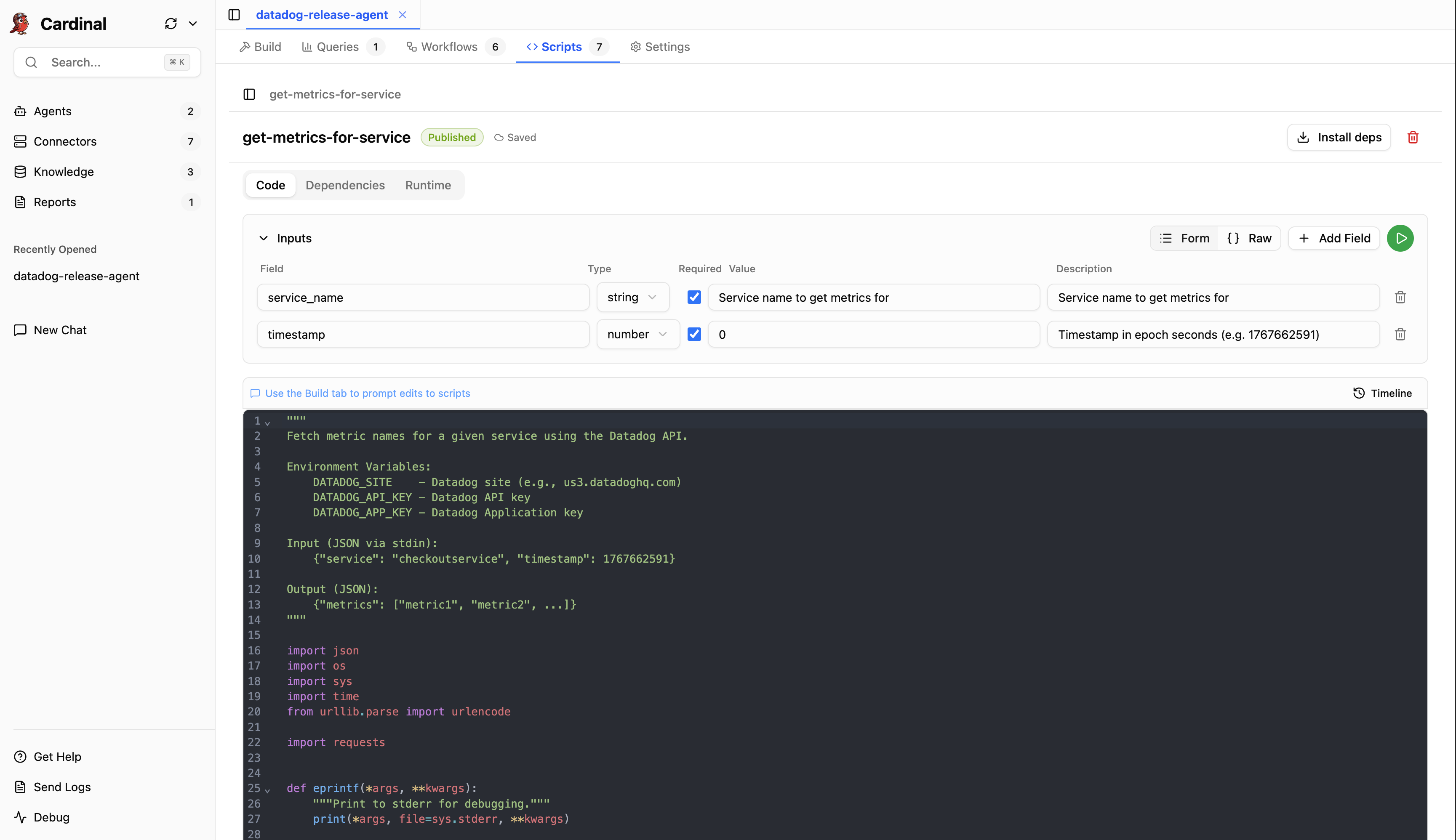
Datadog Release Agent
Cardinal's Datadog Release Agent is an intelligent release monitoring agent that validates deployments by comparing Datadog logs, metrics, and APM data before vs. after a release to detect anomalies, identify regressions, and provide clear pass/fail assessments.
Invoke the release check workflow via a simple HTTP webhook as part of your GitHub Actions, or any other CI/CD pipeline, to validate your deployments, and get a release report in Slack.
Capabilities
- Runs analyses automatically on every release via a simple webhook integration
- Compares logs to detect material error pattern increases, new error patterns, and expected logs that stopped unexpectedly
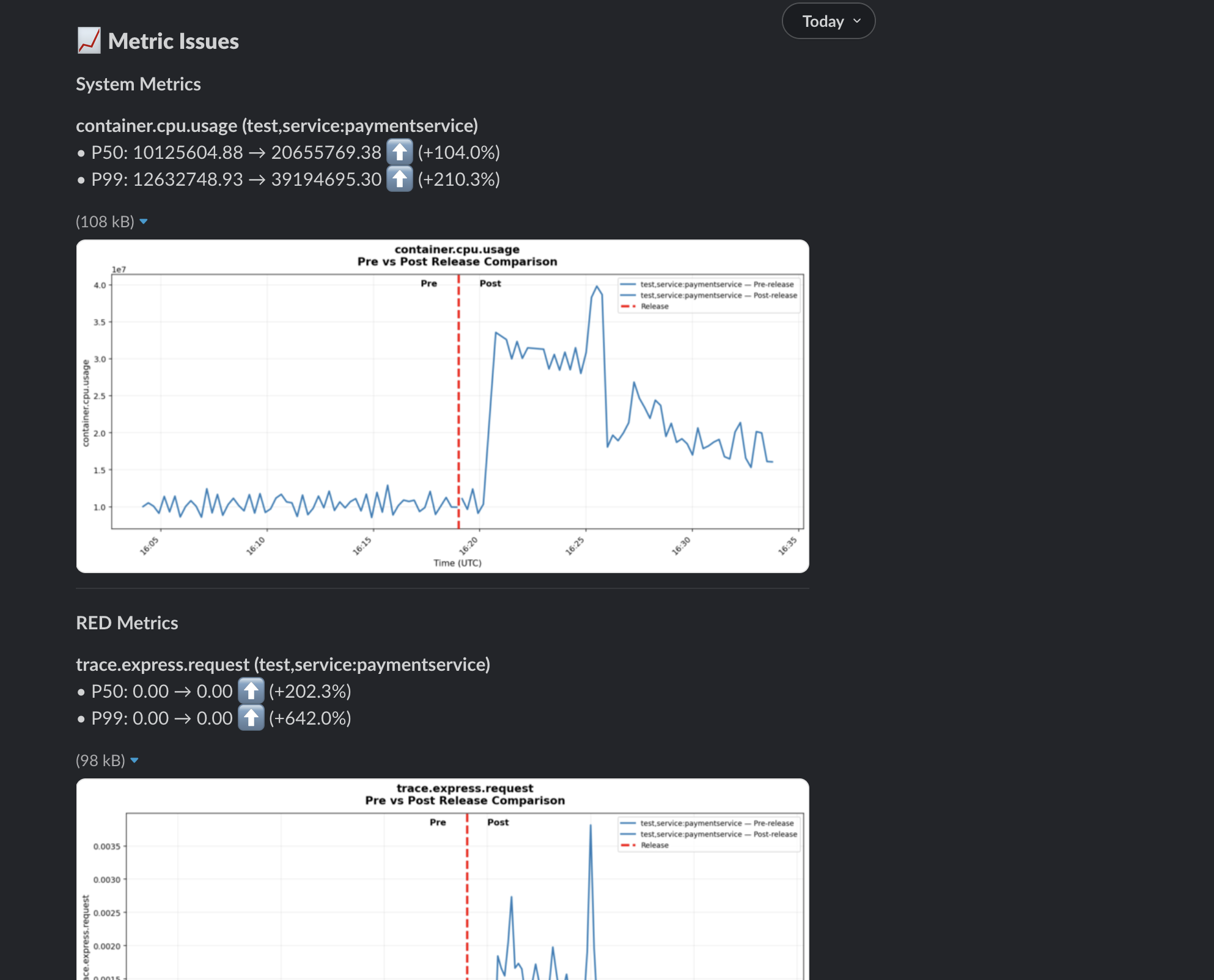
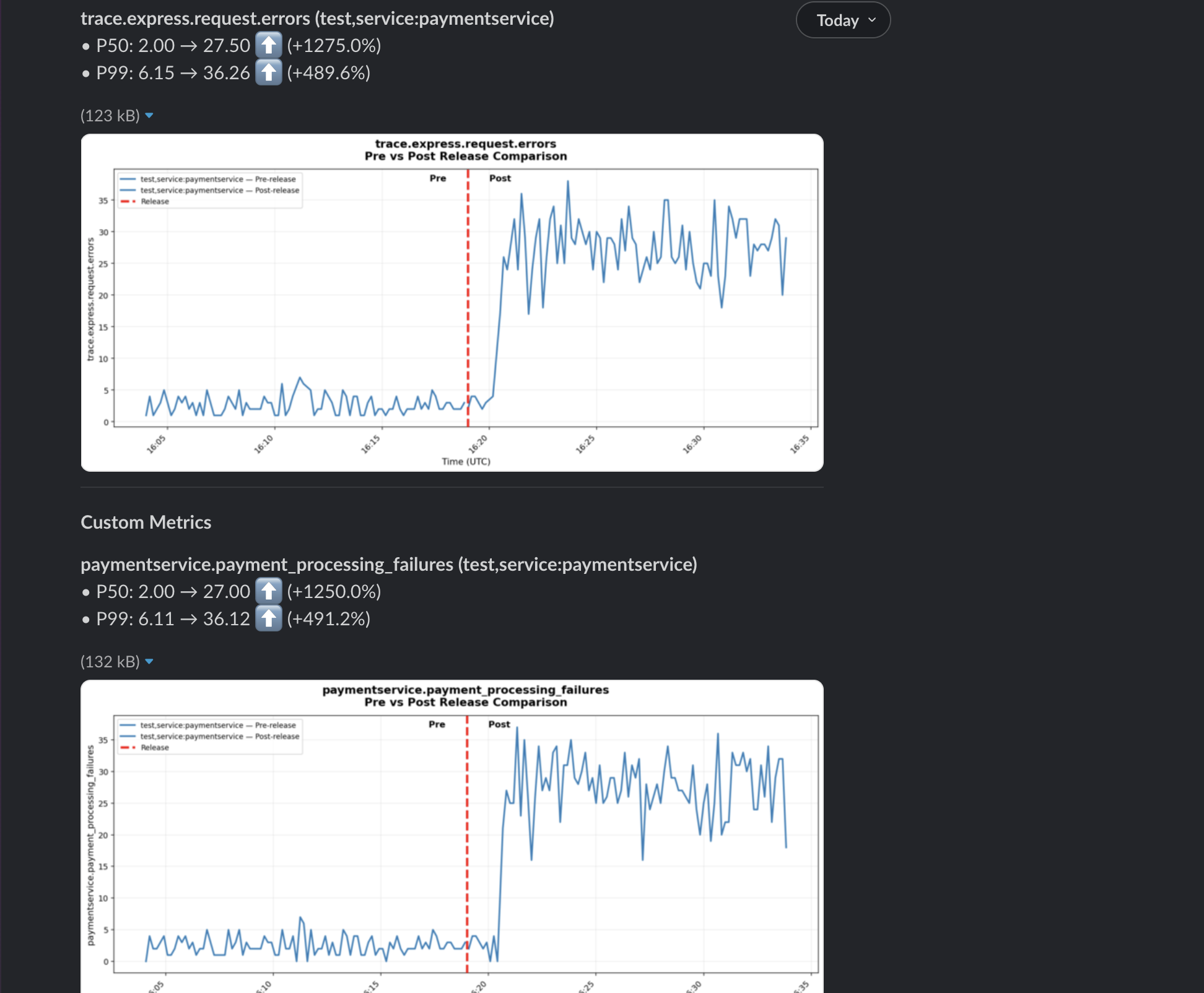
- Compares system, custom, and APM RED (Request, Error, Duration) metrics to detect anomalies
- Finds relevant dashboard charts, and looks for anomalies
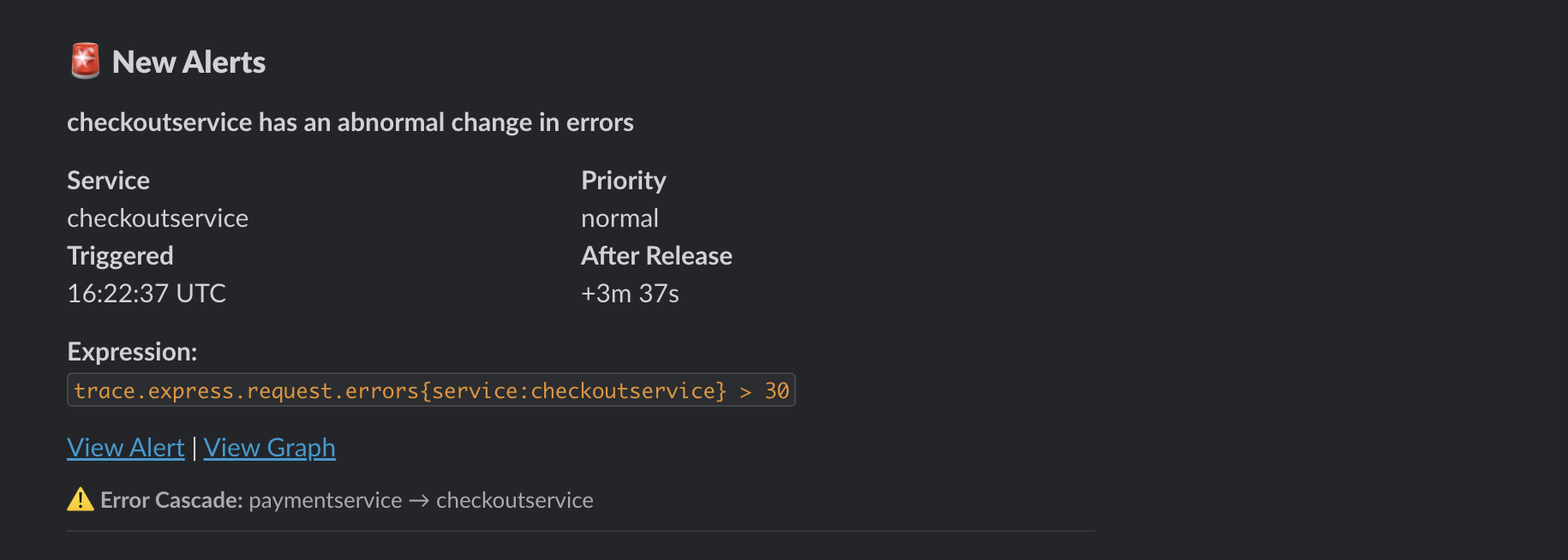
- Checks for any new alerts that triggered post-release for the deployed service, or any of its dependencies
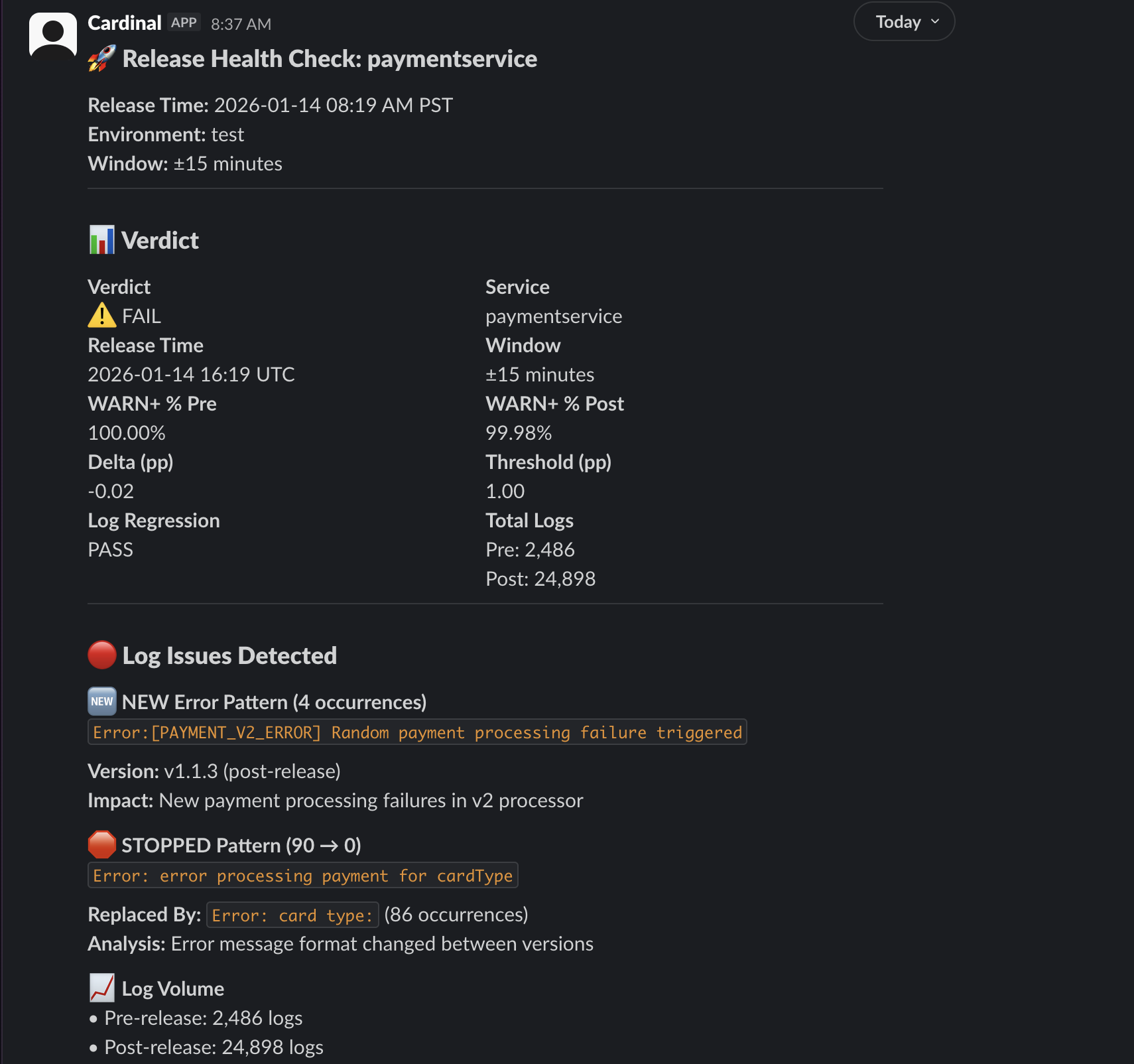
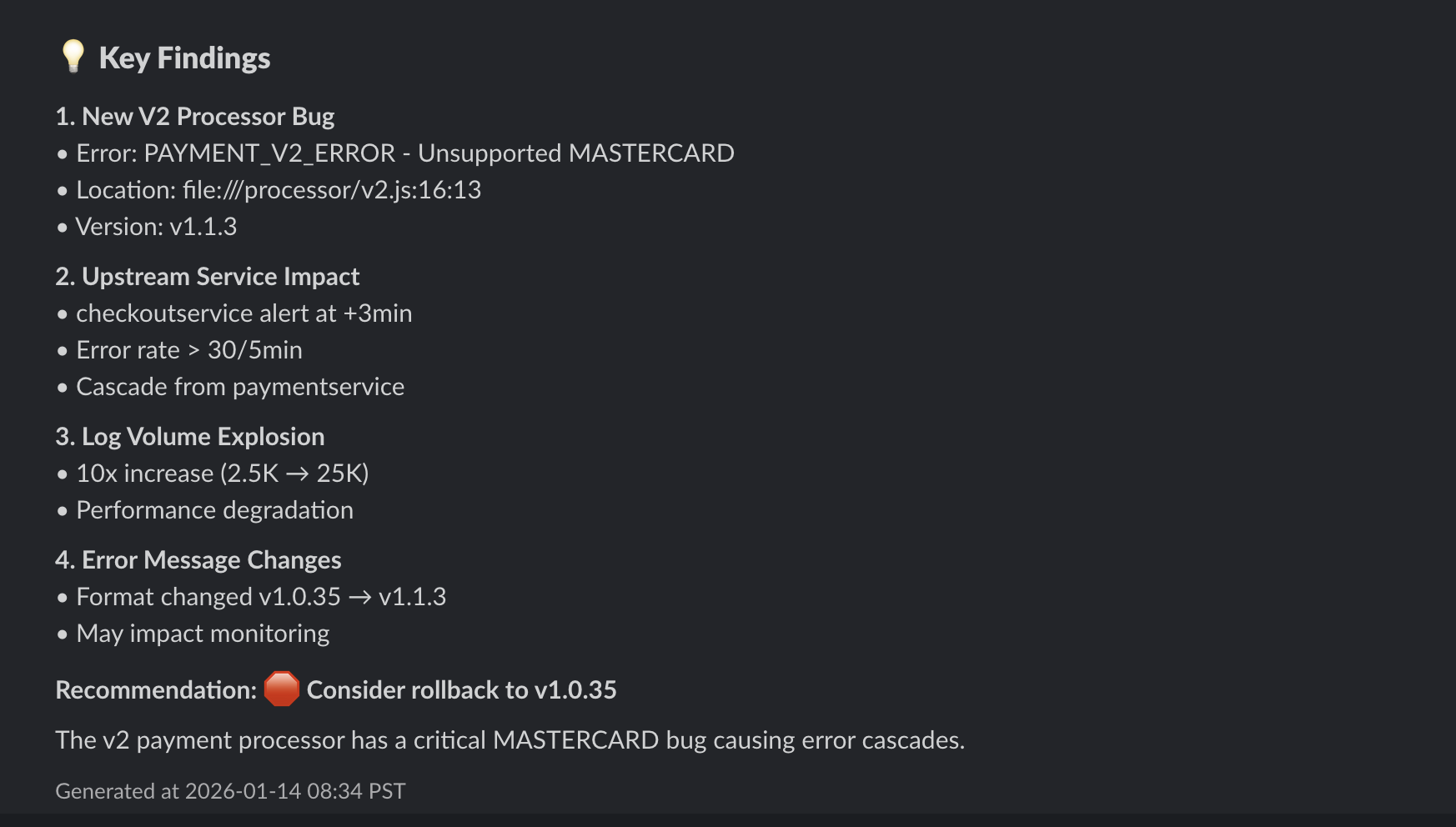
- Sends a report to Slack, with a clear pass/fail assessment, and evidence in the form of inline charts, and links to alerts and dashboards
Get Started
1. Set Up Workspace
If this is your first time using Cardinal Desktop Application, follow the Get Started guide to sign up for a free Cardinal account, and set up your team's workspace.
2. Add Datadog Connector
-
In the Cardinal Desktop Application, select the Connectors tab from the sidebar.
-
In the Browse Connectors tab, click the Connect button on the Datadog connector.
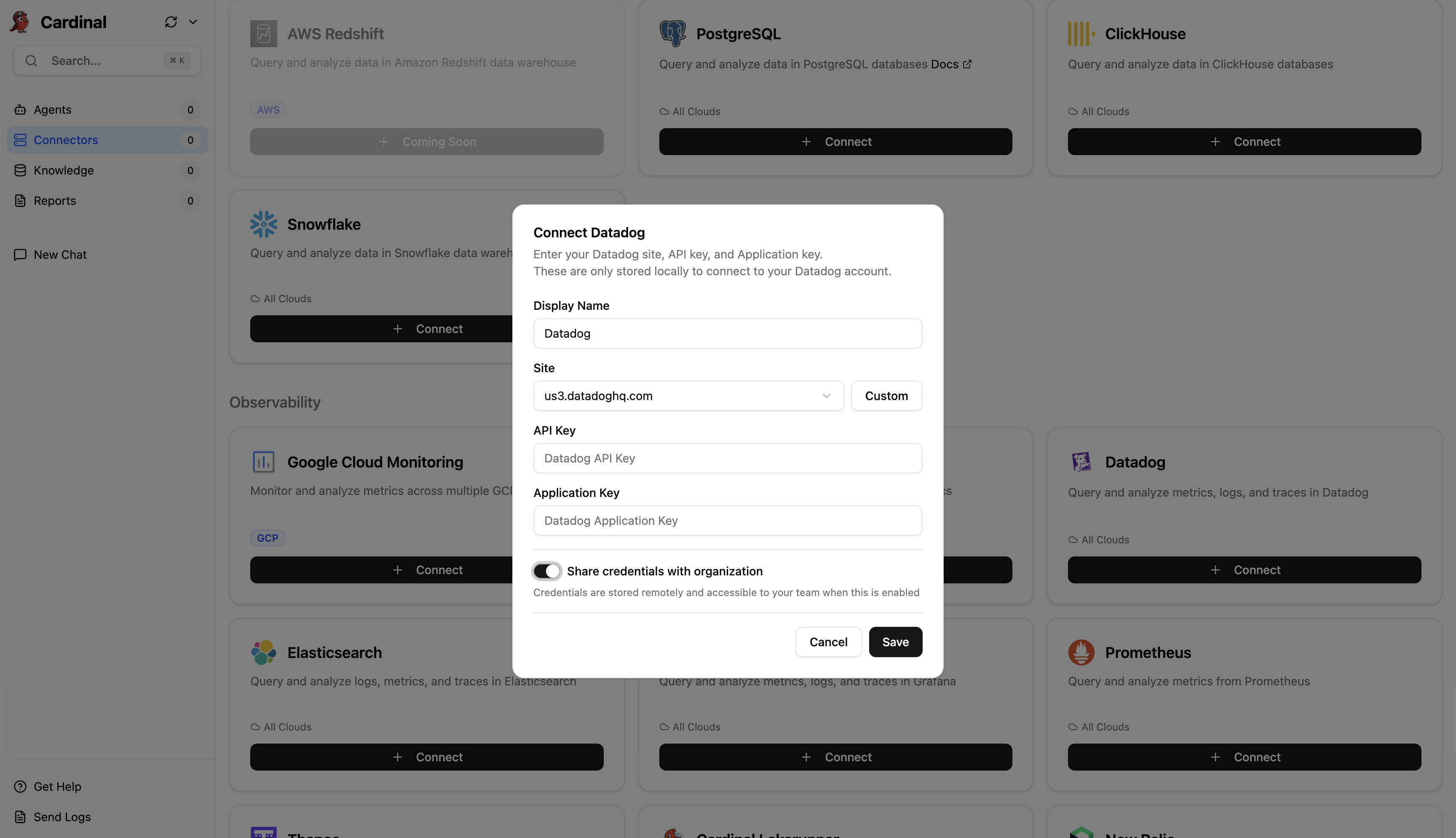
Refer to the Datadog Connector guide for detailed instructions on how to configure the Datadog Connector.
3. Add Slack Connector
-
In the Cardinal Desktop Application, select the Connectors tab from the sidebar.
-
In the Browse Connectors tab, click the Connect button on the Slack connector.
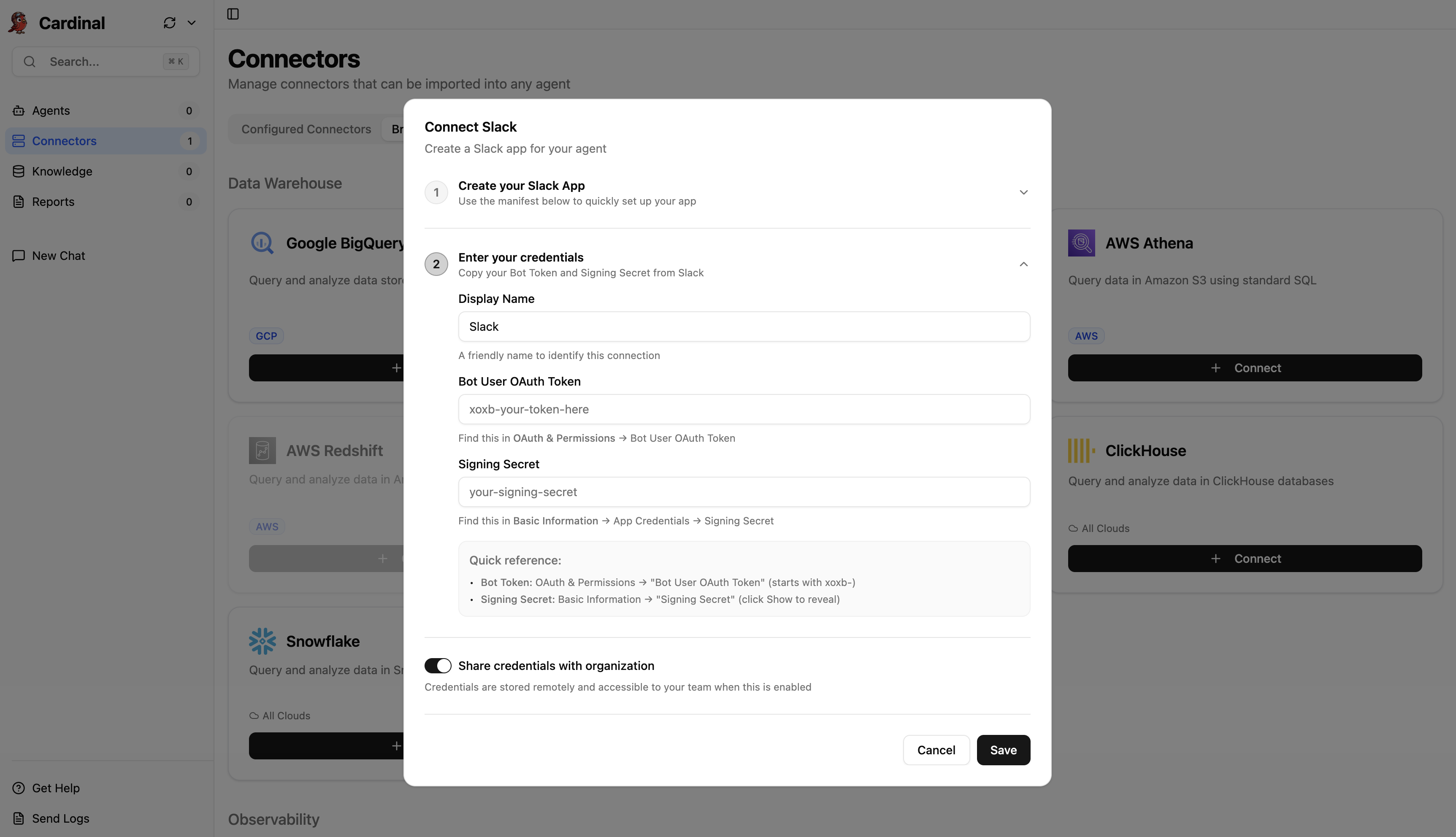
Refer to the Slack Connector guide for detailed instructions on how to configure the Slack Connector.
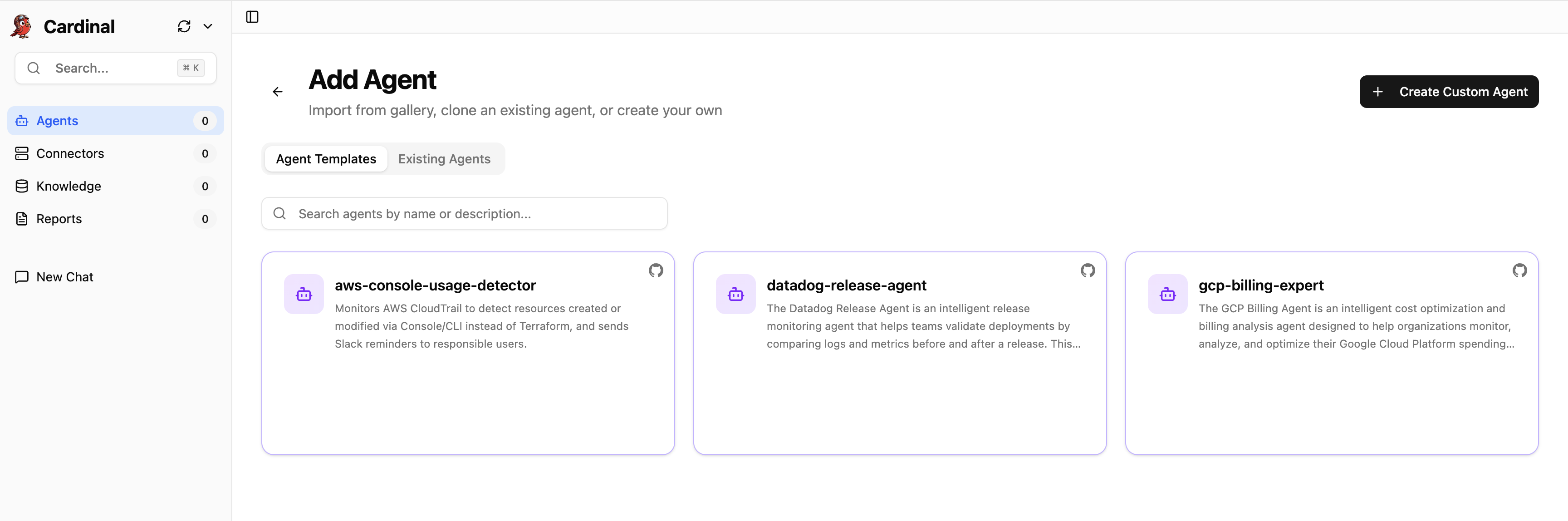
4. Import the Datadog Release Agent
-
In the Cardinal Desktop Application, select the Agents tab from the sidebar.
-
From the Agent Templates section, select the datadog-release-agent template, and give it a name to import it into your workspace.
5. Launch Agent
We're now ready to launch the Datadog Release Agent to your cloud environment, so that it can start monitoring your deployments.
Follow the steps in the Launch Agents guide to complete this step.
6. Update GitHub Actions
Once the Agent is launched, you can update your GitHub Actions that deploy your service to invoke the release check workflow via a HTTP webhook. If you use a different CI/CD tool, adapt these instructions accordingly.
In your GitHub Action yaml file, add a step after your deployment step to invoke the Agent's release check workflow.
  release-check:
    runs-on: ubuntu-latest
    needs: deploy-step
    steps:
      - name: Trigger Cardinal Datadog Release Agent
        run: |
          DEPLOY_TIME=$(TZ="America/Los_Angeles" date +"%B %-d, %Y at %-I:%M %p PST")
          curl -X POST "https://{your-agent-url}/invoke" \
            -H "Content-Type: application/json" \
            -d @- <<EOF
          {
            "agentName": "datadog-release-agent",
            "message": "Execute the check-release workflow for paymentservice, deployed to the test environment on ${DEPLOY_TIME}. Check +/- 15 mins from the deploy time. Send the results to #alerts-demo via Slack.",
            "delayInMinutes": 15
          }
EOF- Replace
{your-agent-url}with the HTTP webhook URL for your Agent, which is displayed in the Launch Status card, as outlined in the Launch Agents guide. - Update the
messageto include the name of the service that was deployed, the environment it was deployed to, and any other context that is relevant to the release check. - Set the
delayInMinutesto the number of minutes to delay the task execution so that sufficient post-deployment telemetry data is available in Datadog. We recommend setting this to at least 15 minutes, depending on the traffic patterns of your service.
7. Get Slack Notifications
Invite the Cardinal Slack bot to the channel where you want to receive notifications from the Datadog Release Agent.
When the release check is executed downstream of your GitHub Action or CI/CD pipeline, you will receive a notification in Slack with the results of the release check.
8. Customize your Release Check
Congratulations! 🎉 You've successfully set up the Datadog Release Agent to run release checks on your deployments.
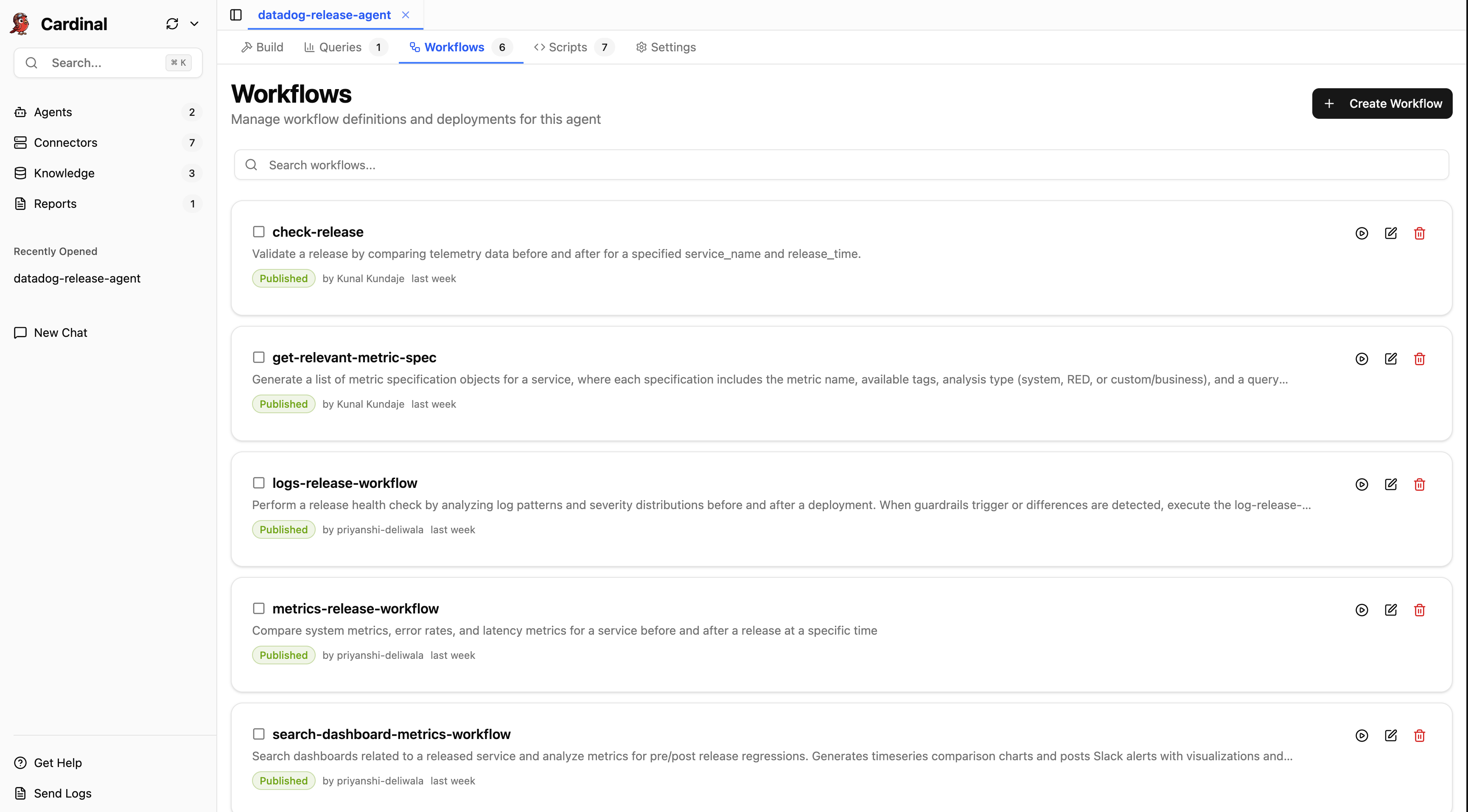
You can now also customize the release check to fit your exact needs by updating the included Workflows and Scripts, or adding your own.
Workflows:
Scripts: