Agents
Agent is where you build specific queries, workflows, and scripts in one place. Each agent is purpose-built with a distinct role and set of capabilities
Getting Started with Agents
There are three ways to work with agents in Cardinal:
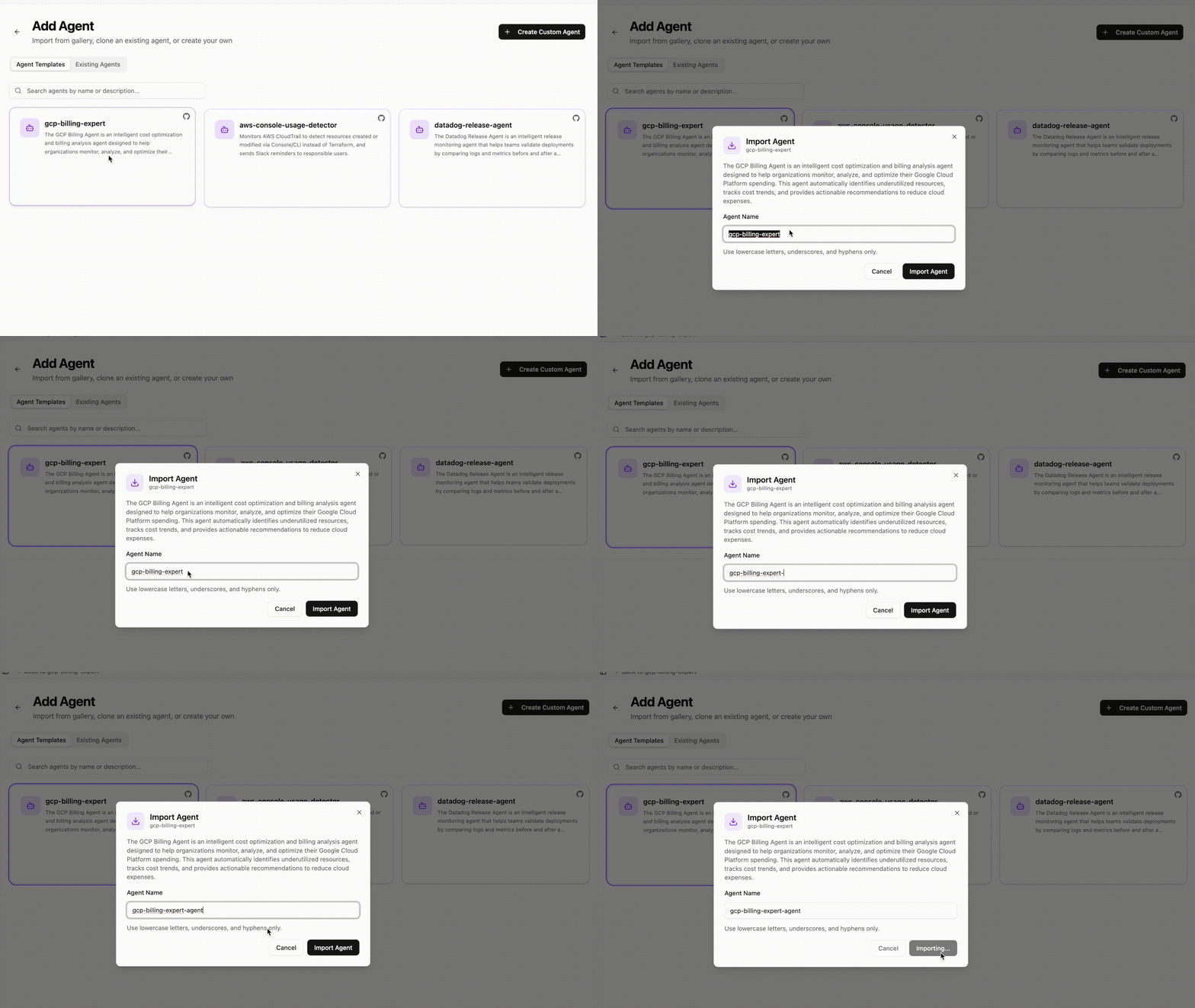
1. Import an Agent
Import pre-built agents from the Agent Templates. These are fully configured and ready to use out of the box, requiring minimal setup to get started. Imported agents can also be fully customized to fit your specific needs.
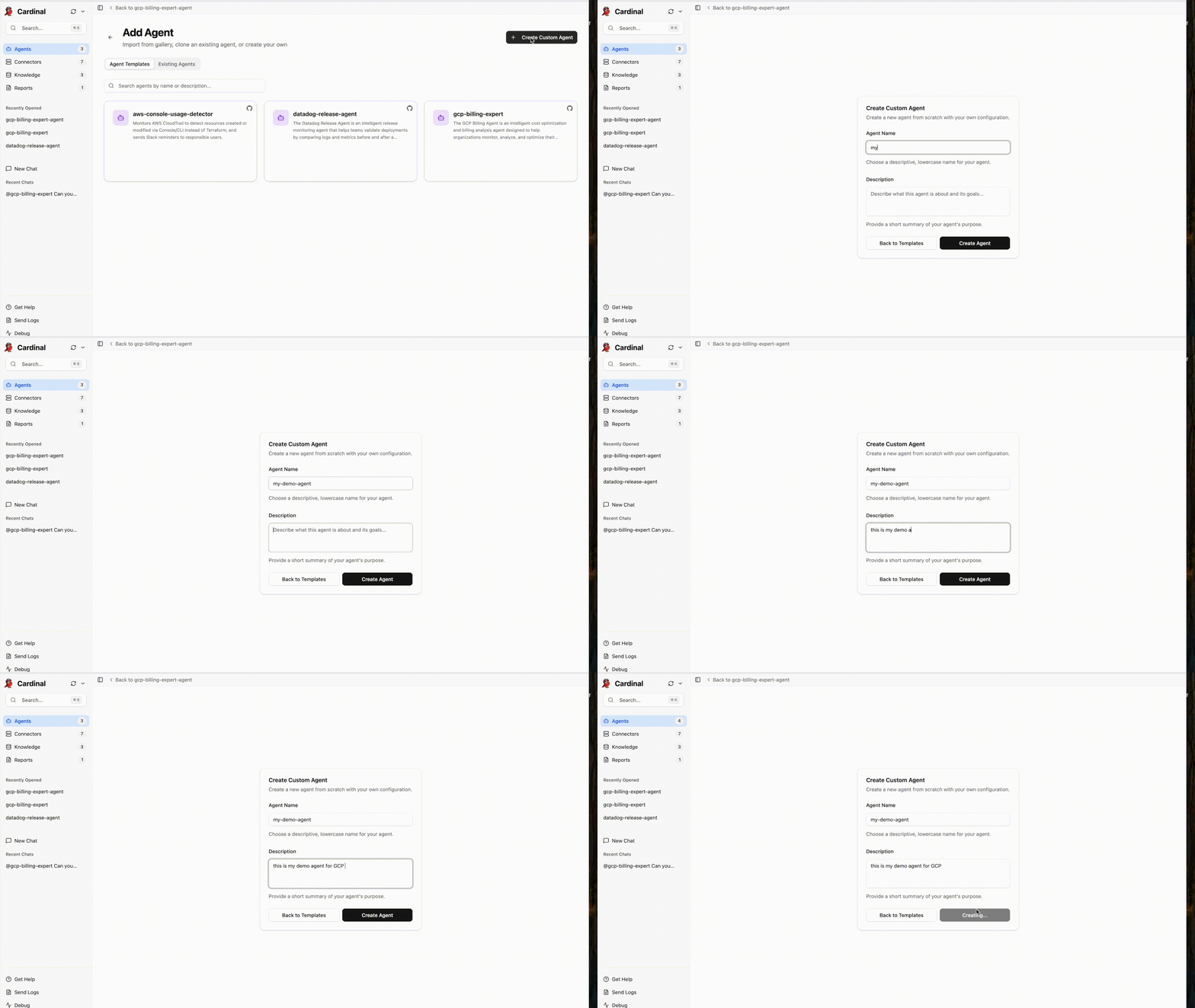
2. Create Your Custom Agent
Build a custom agent from scratch tailored to your specific needs. Define the agent's capabilities and connectors to match your exact use case.
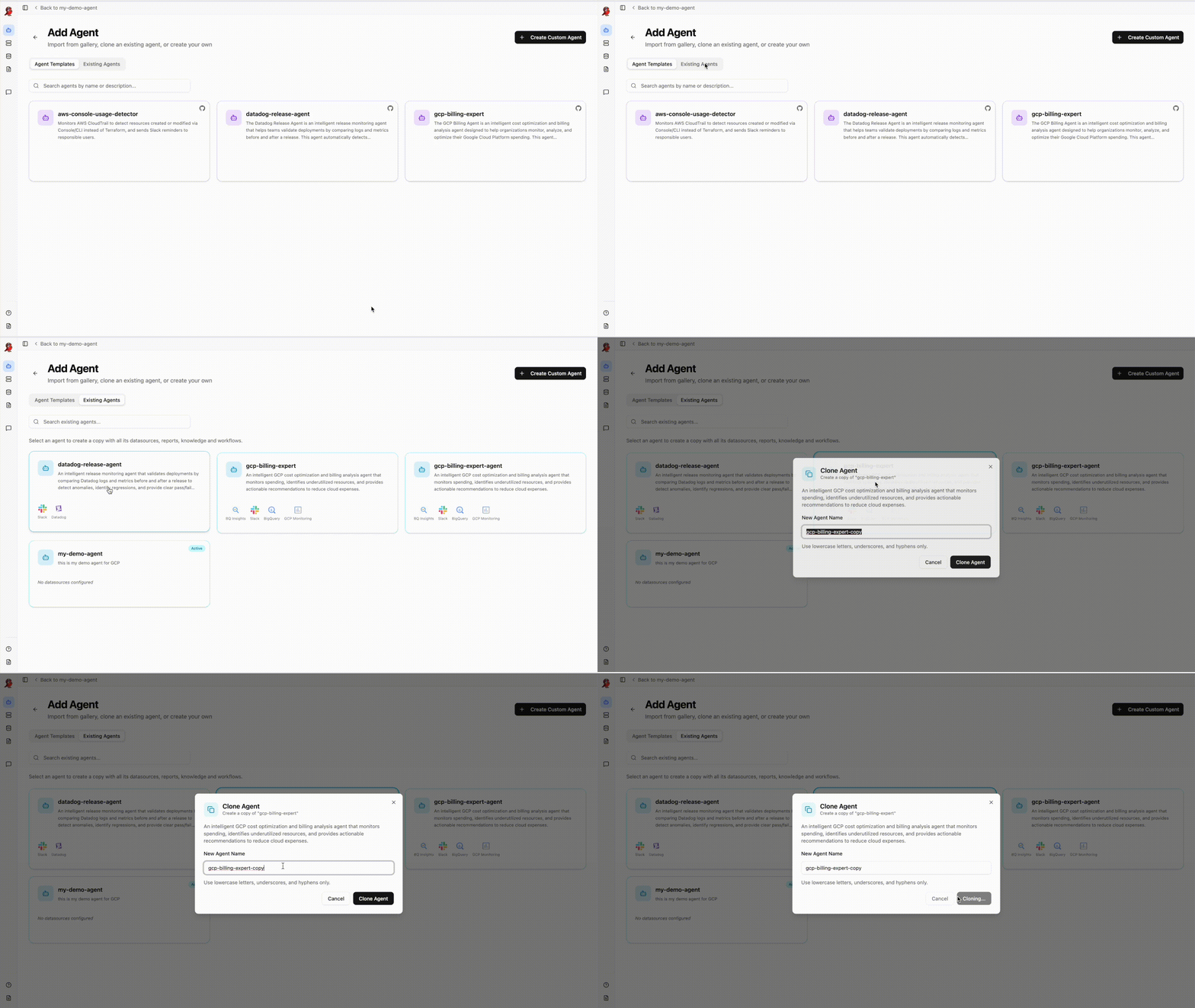
3. Clone Existing Agent
Start with an existing agent and clone it to create a copy. Customize the cloned agent to fit your requirements while keeping the original intact.
Reach out to support@cardinalhq.io for support or to ask questions not answered in our documentation.