BigQuery
Connect Cardinal Desktop Application to Google BigQuery data warehouse.
Overview
BigQuery is Google Cloud's fully managed, serverless data warehouse. With the BigQuery connector, your AI agents can:
- Query data using standard SQL
- Discover schemas and table structures automatically
- Analyze large datasets with semantic search across tables
- Monitor query metrics including bytes processed and execution time
- Analyze GCP costs by project, service, and SKU
- Detect resource underutilization across Compute Engine, Cloud SQL, GKE, and other services
- Generate optimization recommendations for rightsizing and cost savings
- Identify expensive BigQuery queries and explain cost drivers
Connection Details
| Field | Description |
|---|---|
| Project | Browse and select a Google Cloud project from the grid |
| Authentication | Google OAuth 2.0 |
| Datasets | Browse and select specific datasets (optional) |
| Tables | Browse and select specific tables (optional) |
Prerequisites
- A Google Cloud project with BigQuery enabled
- A Google account with access to your BigQuery project
- At least one BigQuery dataset with tables
Setup Wizard
Validate credentials either through ADC or Oauth.
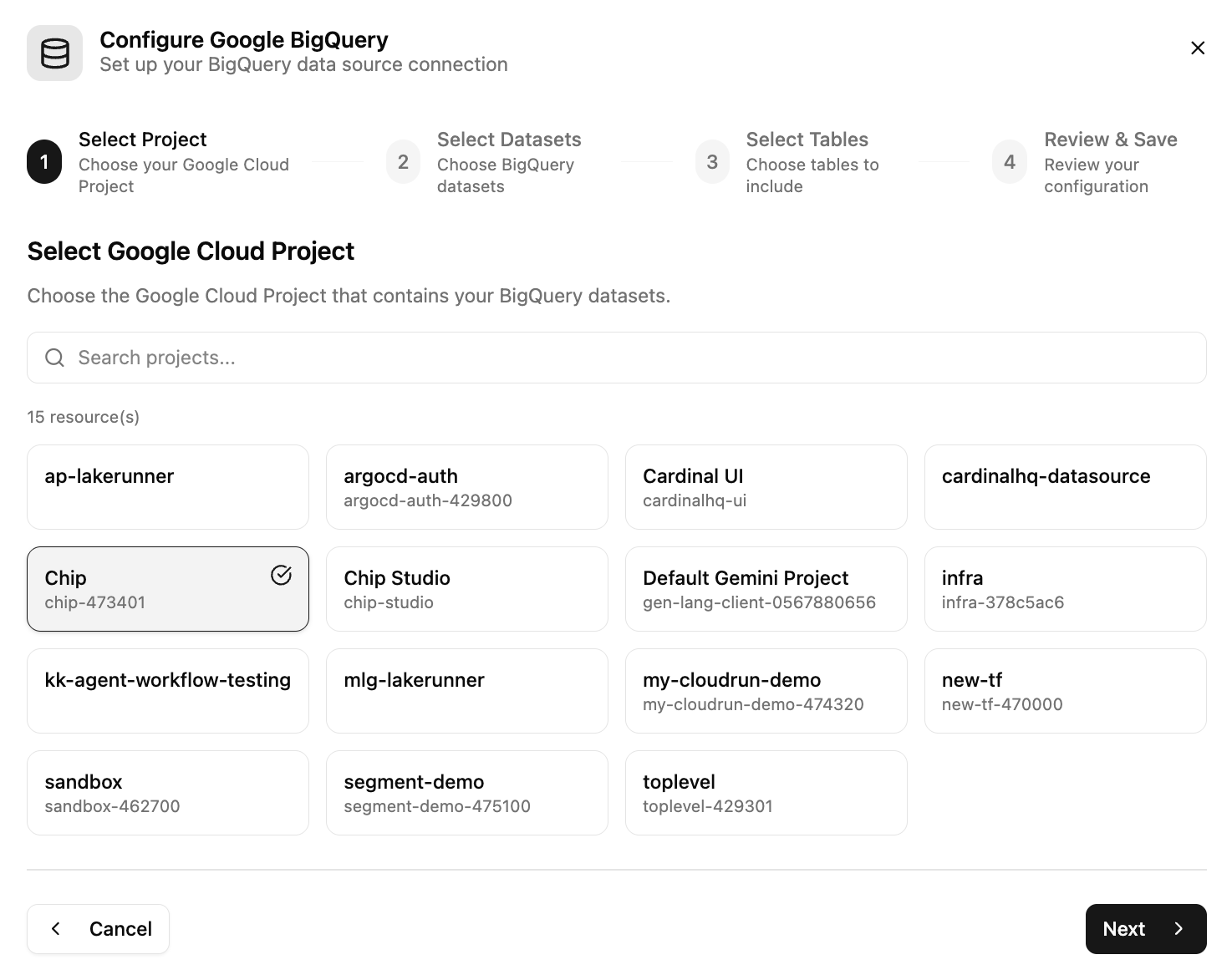
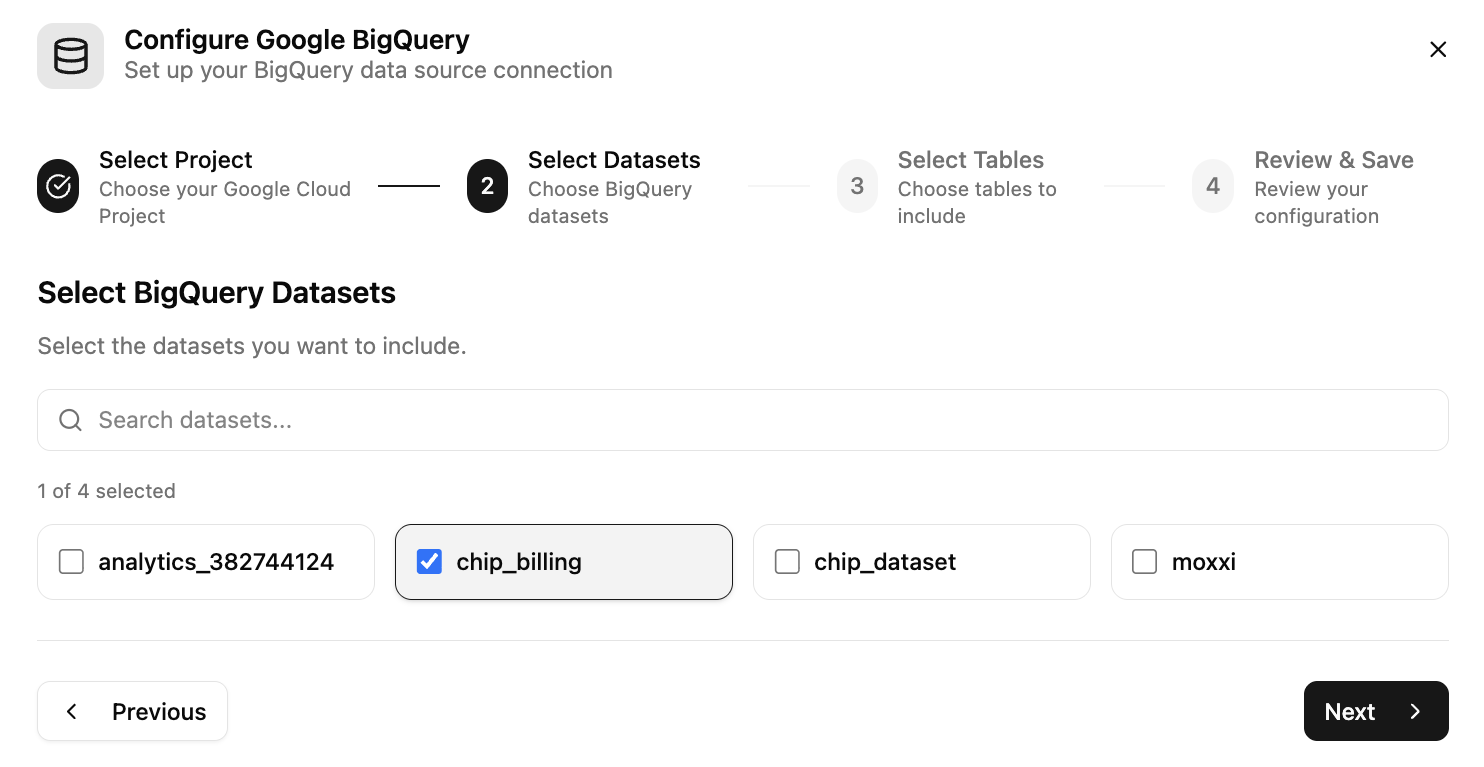
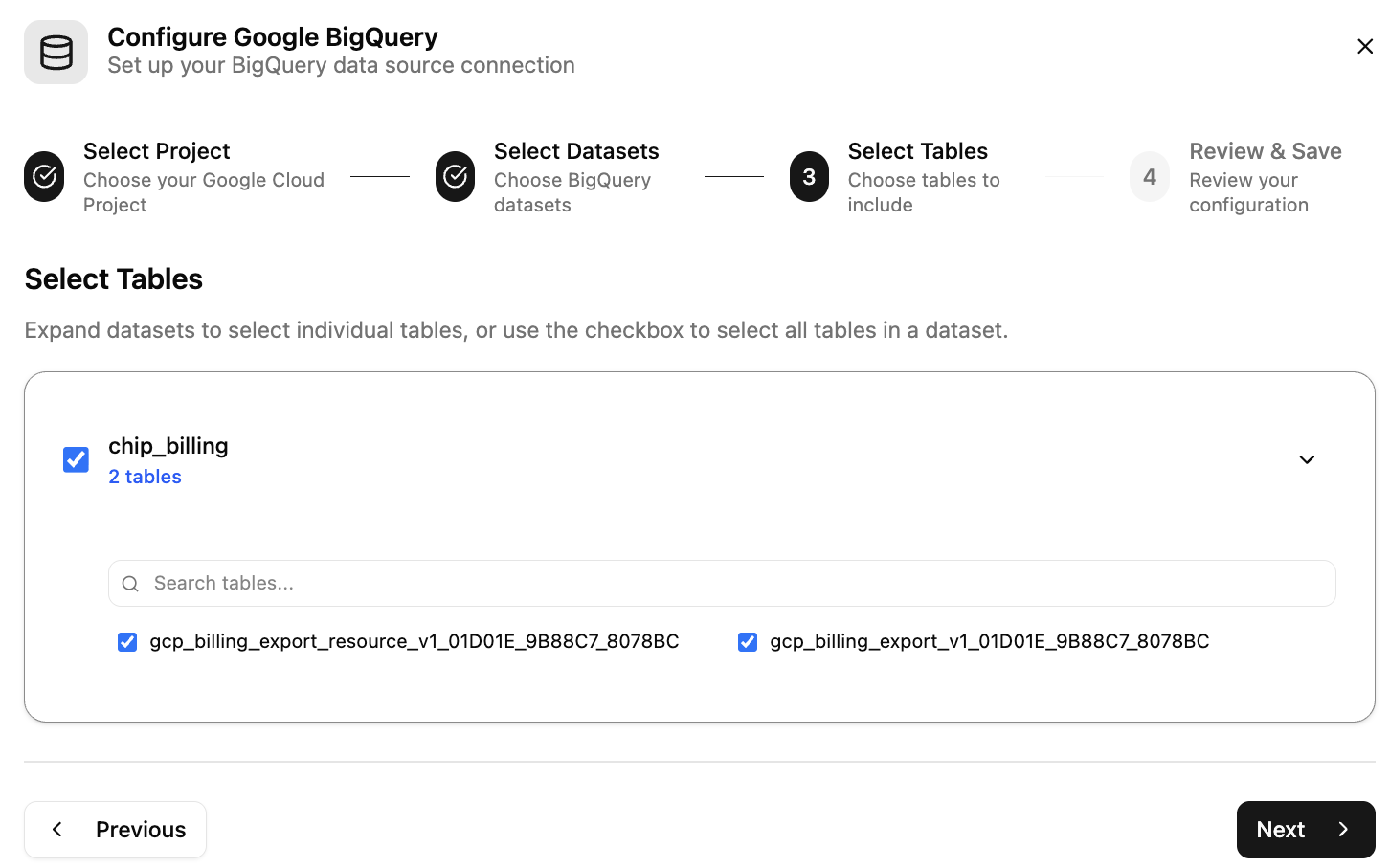
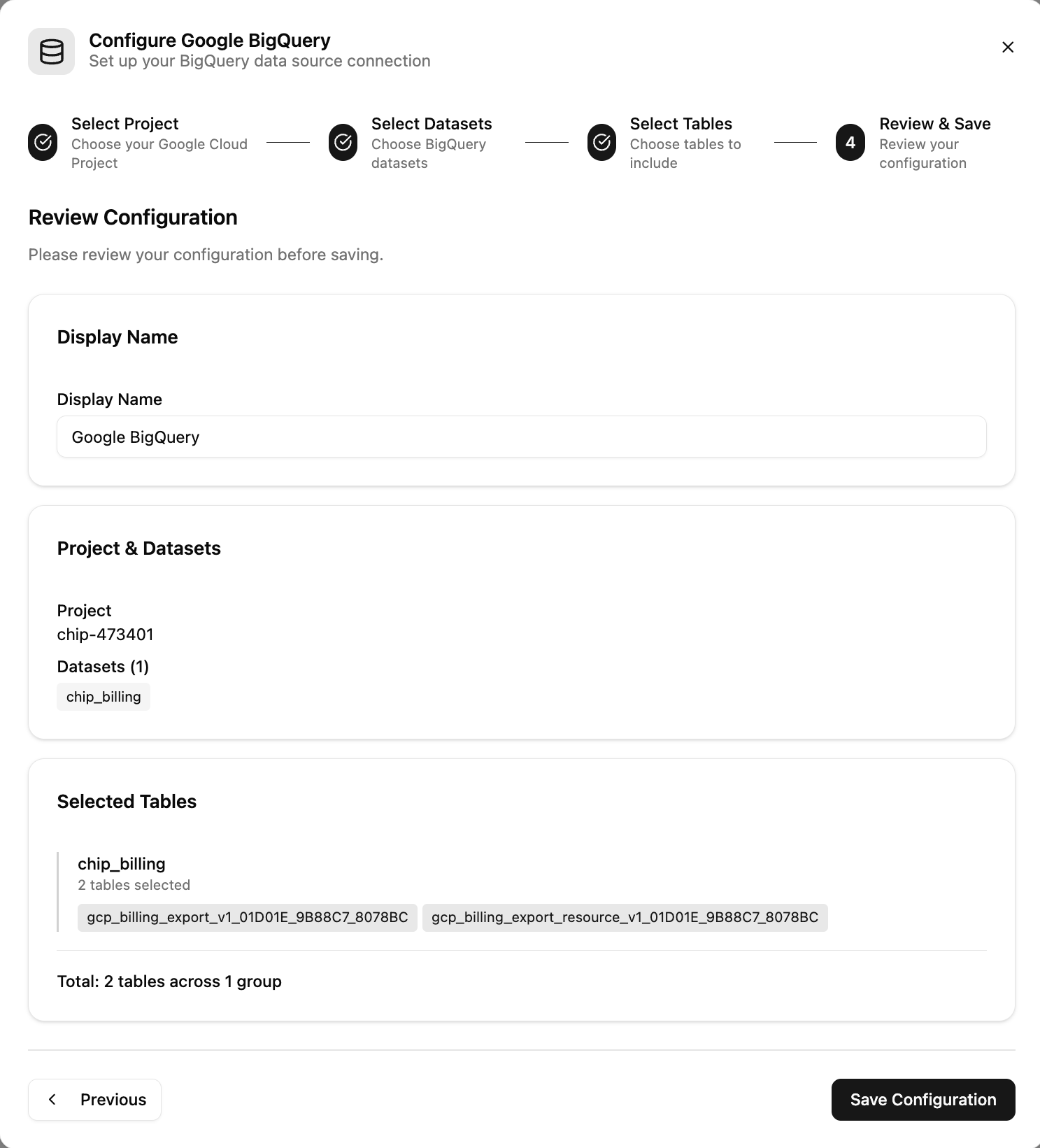
Your AI agent can now query BigQuery and answer questions about your data.
Understand the assets and product features →
Reach out to support@cardinalhq.io for support or to ask questions not answered in our documentation.