Agent Chat
Cardinal supports two chat modes: Build Mode (single-agent chat) for creating and configuring agents, and Chat Mode (multi-agent) for read-only, cross-agent conversations and workflows.
At a Glance
- Build Mode: build agents, create assets, and tune capabilities.
- Chat Mode: read-only view across multiple agents.
Build Mode (Single Chat)
Best for: building and refining a specific agent.
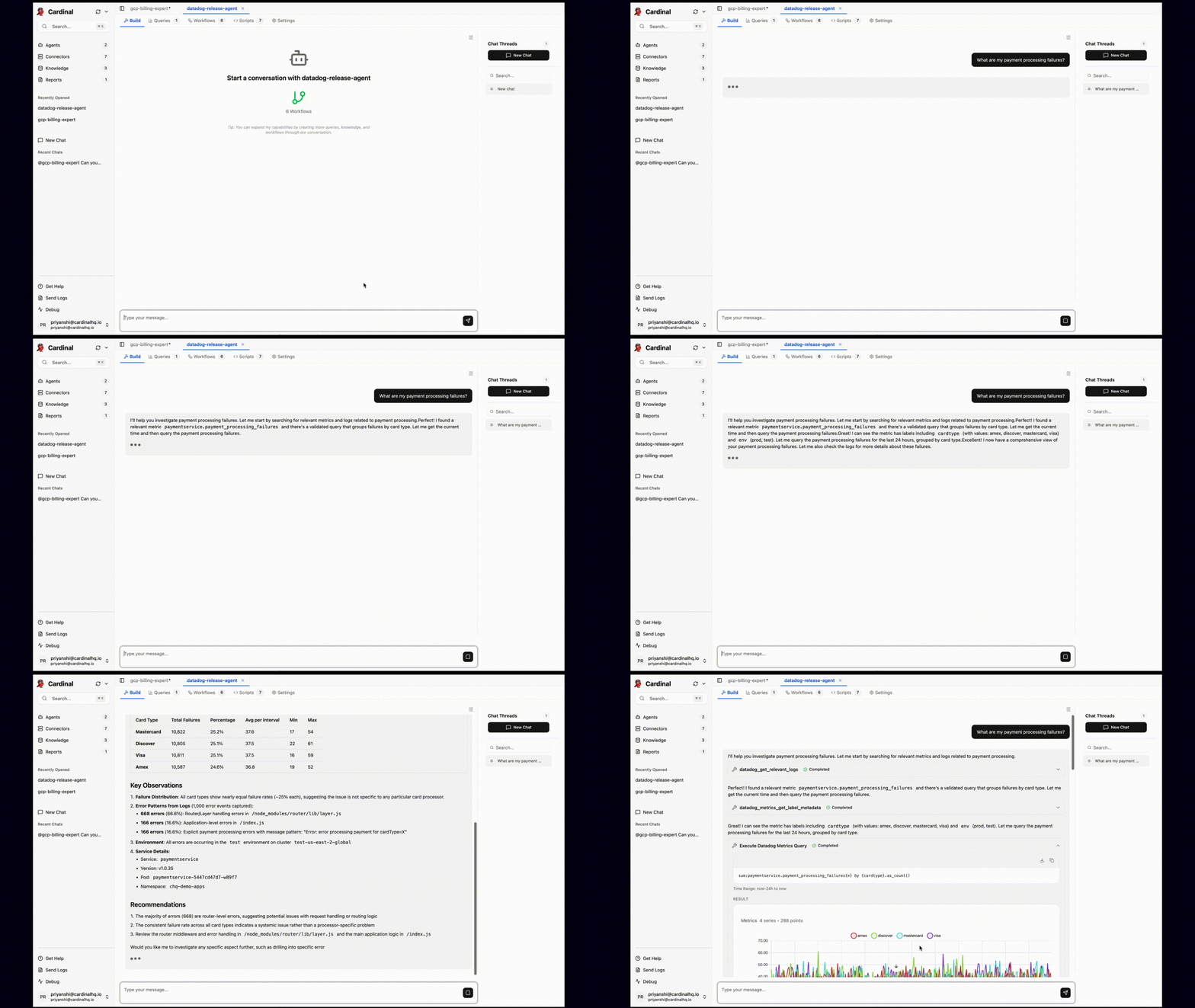
- Create agent-specific queries, workflows, and scripts.
- Add agent capabilities to improve reliability and optimize behavior.
- Work directly within the context of a single agent.
Chat Mode (Multi-Agent)
Best for: communicating with multiple agents within a thread.
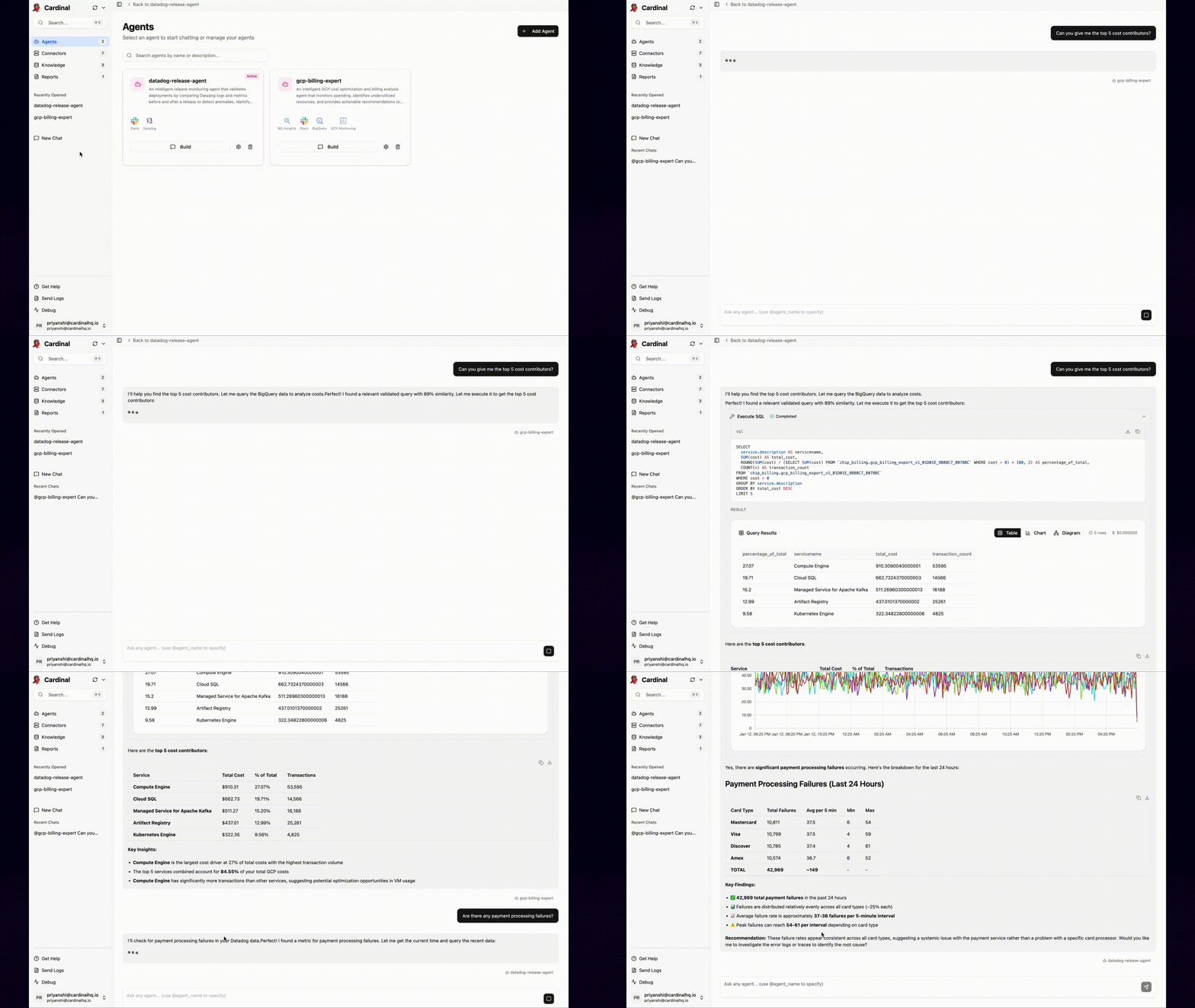
- Read-only access to multiple agents in one conversation.
- Great for getting questions answered and cross-domain visibility.
- Asset creation is disabled in this mode.
Choosing the Right Mode
- Use Build Mode when you need to build or modify agent assets.
- Use Chat Mode when you want a read-only view across agents.
Reach out to support@cardinalhq.io for support or to ask questions not answered in our documentation.