Get Started
-
Sign up (opens in a new tab) for a free Cardinal account.
-
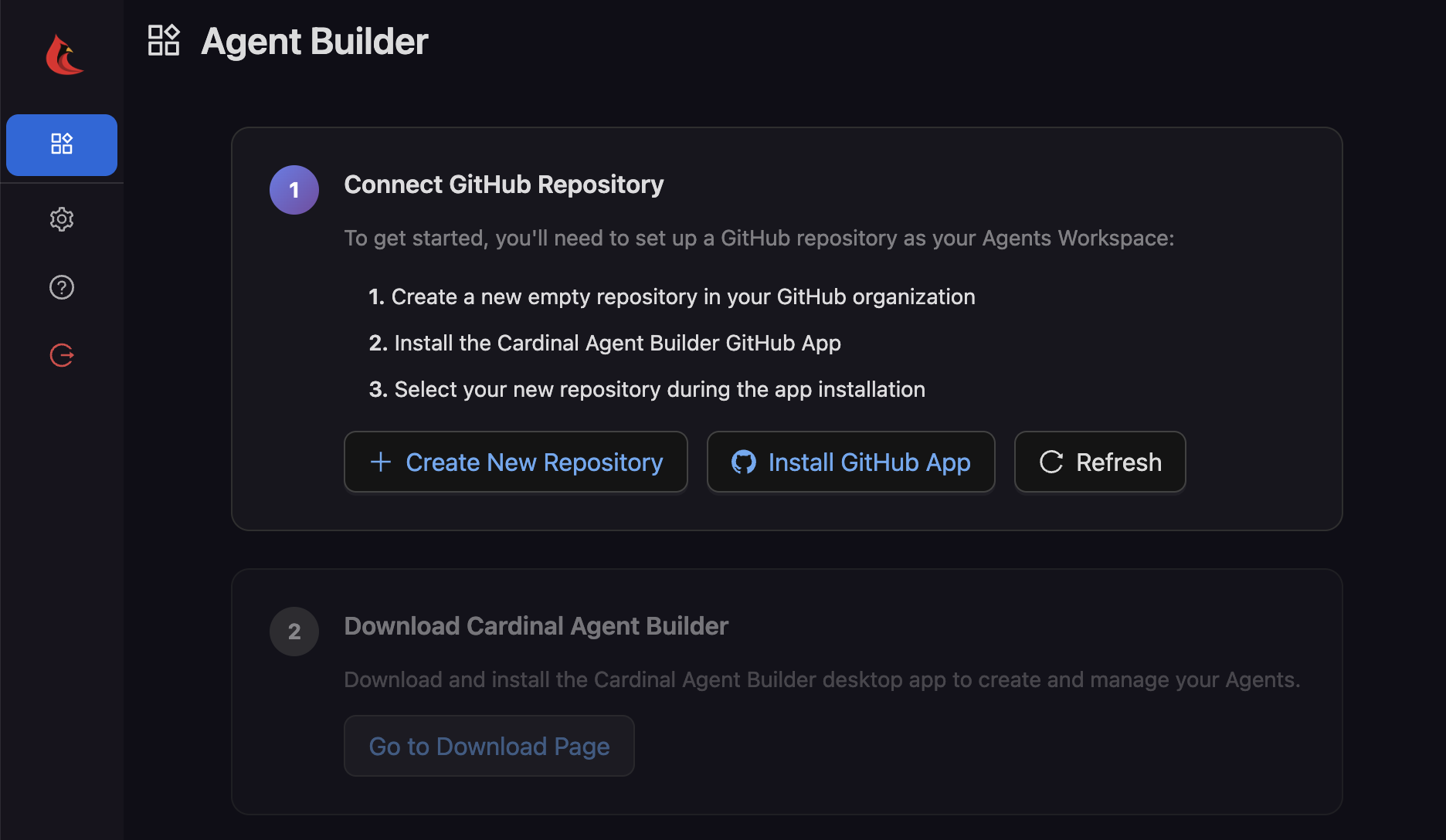
On first login, you will be prompted to create and link a new GitHub repository that will be the shared workspace for your team's Agents and their assets.
-
Click Create New Repository to create a new, empty repository in GitHub – this can be a private repository if you like.
-
Next, click Install GitHub App to install the Cardinal GitHub App. On the install screen, select only the new, empty repository you created in the previous step.
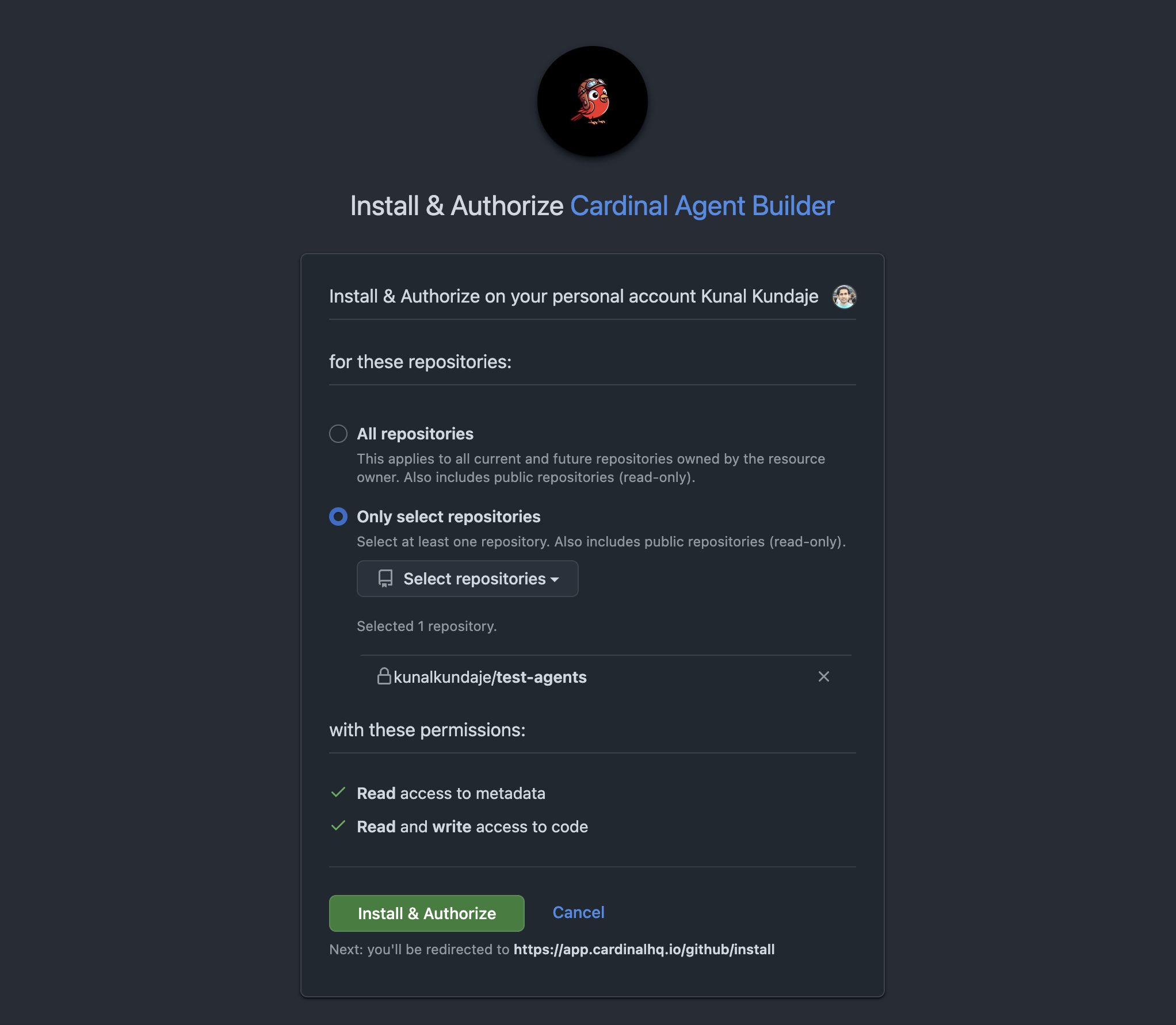
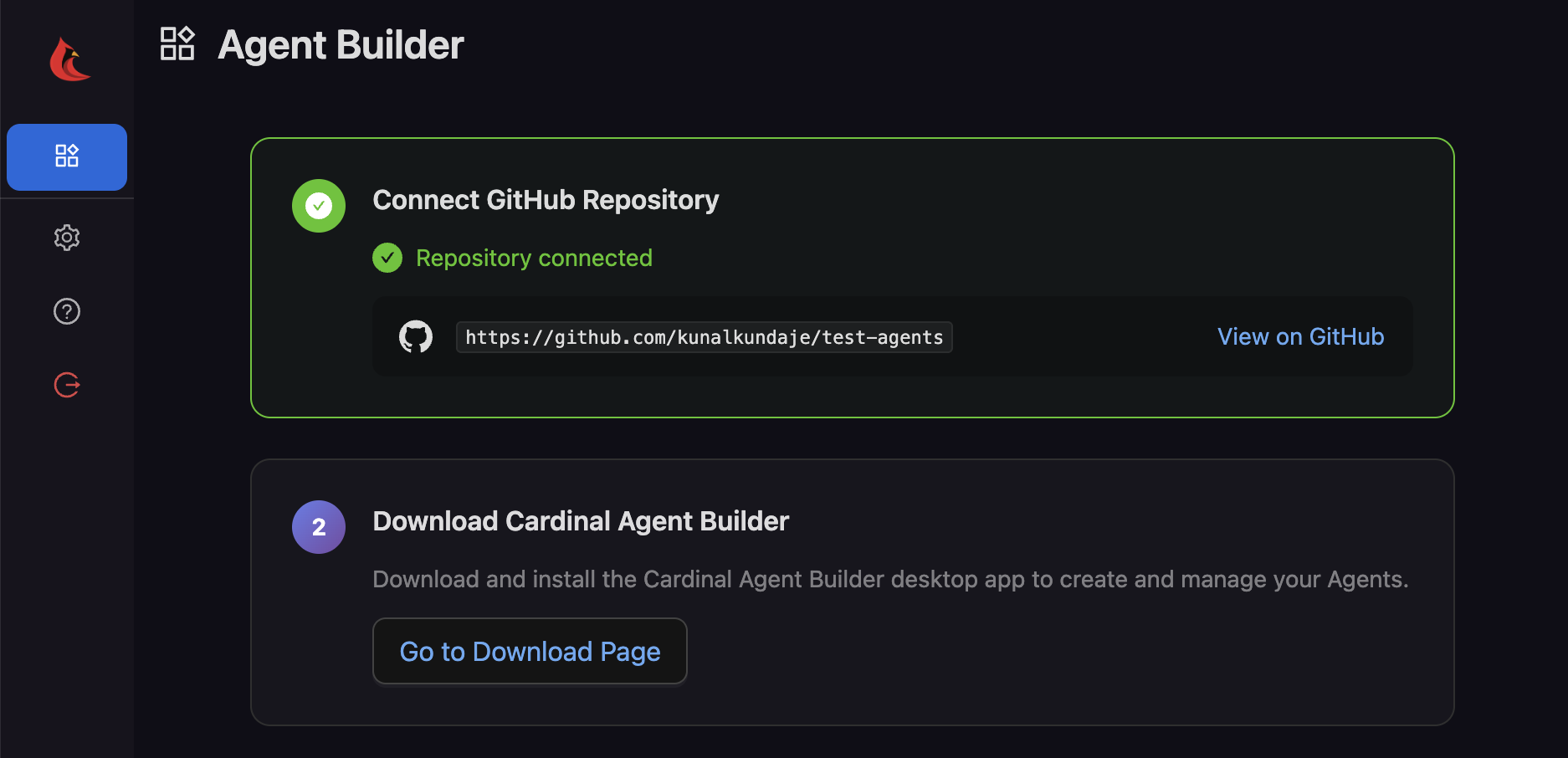
- Upon successful installation, you will be redirected to the Cardinal web UI. Make sure that you see the "Repository connected" message before proceeding.
-
You and your team can now start importing, customizing, and deploying Agents using the Cardinal Desktop Application. Click Go to Download Page to download and install the app on macOS, Windows, or Linux.
-
Learn more about the product, or how to import one of Cardinal's pre-built Agents for common use cases that can be customized to fit your needs.